Meeting and interview assistant for iPhone
Miss a minute, not the meeting.
I'm Scott. By the fifth meeting of the day I couldn't say which deadline belonged to which project, so I built this. An iPhone app that keeps a live transcript with who said what and answers your questions while the meeting is still on. No bot joins the call.

 On a computer? Point your iPhone camera here to get the app.
Free to start. Zoom, Teams, Meet, or everyone in one room.
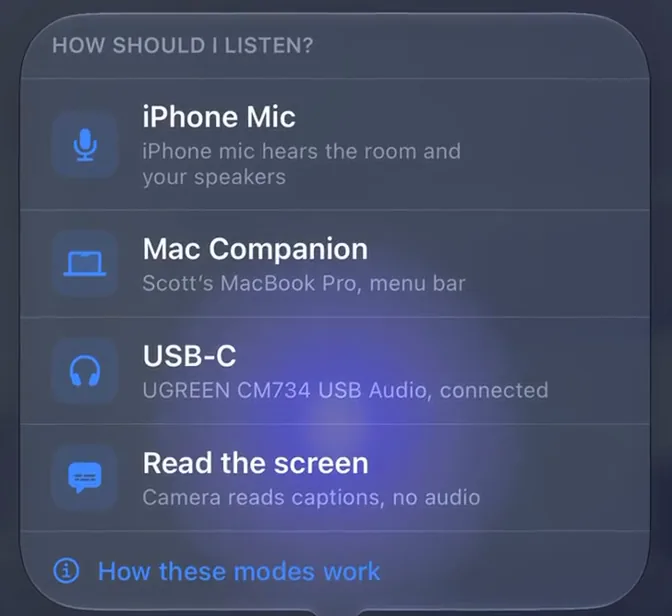
Four ways to listen
Speakers, headset, in person, or no audio at all.
Pick one each time you start a meeting. The app says what each one needs and won't start one that can't work.
iPhone Mic
Set it on the table and it hears the room. Best when the call is on your speakers or everyone is sitting with you, and in a room it hears all of them, which is the part a bot in the call cannot do. Nothing to buy, nothing to install.
Shoulder Surf on iPhone asking How should I listen, with iPhone Mic checked
Shoulder Surf Companion, on your Mac or PC
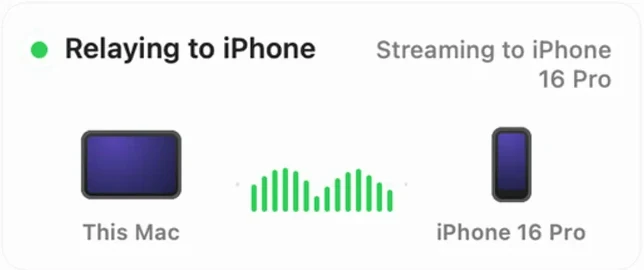
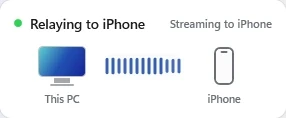
The call's already playing on your computer, so let the computer do the listening. Shoulder Surf Companion, free for your Mac or Windows PC, hands that audio straight to Shoulder Surf on your iPhone. Headset on, volume where you like it, and nothing coming out of a speaker.
Free on both. Mac needs macOS 15 or later, with Shoulder Surf 1.18 or later on your iPhone. Windows needs Windows 10 version 2004 or later, or Windows 11.
Shoulder Surf on iPhone asking How should I listen, with Mac Companion checked
The Shoulder Surf Companion panel on a Mac, Relaying to iPhone, with a live audio level between This Mac and the iPhone
The Shoulder Surf Companion panel on Windows, Relaying to iPhone, with a live audio level between This PC and the iPhone
USB-C, a cable from your headset
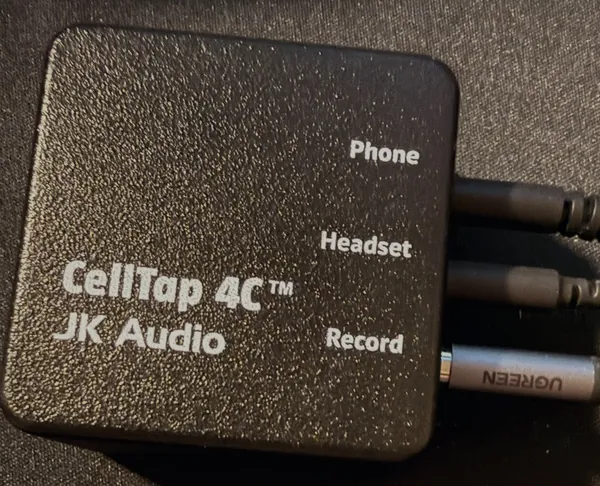
On a wired headset at a shared desk? A small box, the JK Audio CellTap 4C, sits between your computer and your headset, and one cable runs from it into your iPhone. Nothing goes on the computer, it works the same on a Mac or a PC, and the iPhone mic stays off, so the room around you stays out of it.
Needs a CellTap 4C. A plain cable can't do it.
See what you needShoulder Surf on iPhone asking How should I listen, with USB-C checked
A JK Audio CellTap 4C with cables in its Phone, Headset and Record jacks
Read the screen
No audio at all? Point the rear camera at your screen and it reads the captions Teams, Zoom or Meet already show. No audio is captured.
Shoulder Surf on iPhone asking How should I listen, with Read the screen checked
Shoulder Surf reading a meeting's on-screen captions, with speaker names
Not sure which one? See which one fits your room
In the moment
Lost the last two minutes? One tap, and you're caught up.
You drifted: Catch Me Up. They turned to you: Help Me Respond. Something didn't sound right: Is That Right? These and more come ready, and you can write your own, each answered from as much of the meeting as you choose.
- Pick how much of the meeting it should look at, from the last two minutes to all of it.
- Read it in a glance, or hear it through your AirPods or Bluetooth headphones, eyes still on the room.
- See every Quick Prompt
Dana Okay, vendor review. Cobalt came in at $48,000 for the year, Alder at $41,000.
Luis Alder's cheaper, but their onboarding takes six weeks. Cobalt can start in two.
Sarah Chen Launch is the 14th, so six weeks doesn't work for us.
Dana Then Cobalt, unless legal finds a problem with the contract.
Priya Nair I'll get the contract to legal today and ask for an answer by Wednesday.
Luis And Cobalt was the $41,000 one, right? So we save money too.
Sarah Chen Before we lock it in, how does support feel about switching vendors during launch week?
Catch Me Up
- Sarah just asked how support feels about switching vendors during launch week.
- The group is leaning toward Cobalt ($48,000 a year) over Alder ($41,000), because Alder needs six weeks to onboard and launch is the 14th.
- It isn't final: legal has to clear the Cobalt contract first.
- Priya is sending the contract to legal today and wants an answer by Wednesday.
After the meeting
Walk out with the report already written.
The recap you were going to write tonight: decisions, action items with owners, open questions, how the room felt. Done when the meeting is. On every plan, Free included.
Read a sample reportAlready recorded?
Bring the meeting in afterwards.
Import a recording any time, whether the meeting ended five minutes ago or last month. Audio or video: a voice memo, a recording from your meeting app, a file someone sent you. MP4, M4A, MOV, MP3 and WAV all work.
Shoulder Surf transcribes it on your iPhone and sorts out who's speaking. Then it's a meeting like any other: file it in a project, ask Meeting Chat or Project Chat about it, and generate a report.
Importing is free on every plan, no account needed.
Import from Files, the share sheet, AirDrop or Mail.
Vendor switch
- Vendor sync
- Launch planning
- Legal review
Dana Okay, vendor review. Cobalt came in at $48,000 for the year, Alder at $41,000.
Luis Alder's cheaper, but their onboarding takes six weeks. Cobalt can start in two.
Weeks later
Be the one who remembers what was agreed.
File meetings into a project, then ask what was decided, what's still open and who owes what, across all of them at once. Memories from a meeting point back to it, so you can check them. On Plus, it remembers your last 30 days. On Pro, everything.
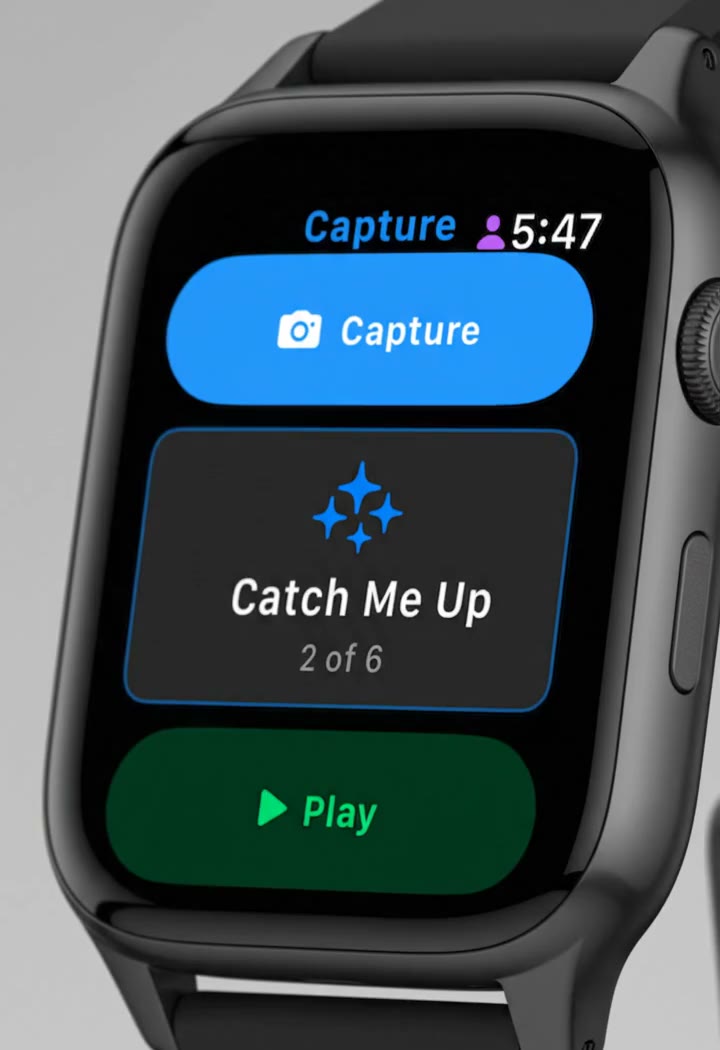
Apple Watch
On your wrist, too.
The hardest moment to grab your phone is the one when you most need it. A glance, a tap, and you're back in the conversation.
- One tap on your wrist snaps a photo with your phone's rear camera.
- Flick through your Quick Prompts and tap one to send it.
- When the answer's ready, tap play and hear it through your AirPods or Bluetooth headphones.
And a whole lot more.
- Everyone you meet with
- A page for each person: your hours together, what they tend to care about, and where they show up.
- Ask for a file, get a file
- A real spreadsheet, Gantt chart or Word doc built from the meeting.
- Walk in prepared
- A prep card before your next meeting with the context from the last one.
- Live on your Lock Screen
- Your timer and the latest summary lines on the Lock Screen and in the Dynamic Island, without opening the app.
- Ask with a photo
- Snap a slide or a whiteboard and ask about it in the moment.
- Find it later
- Open a meeting from Spotlight or Siri.
- Built for everyone
- VoiceOver, haptics, Dynamic Type and high contrast throughout.
- Your AI, your call
- Use ours, bring your own key, or run Apple Intelligence on the device. How we protect your keys
Straight answers
No bot joins your call.
And the iPhone shows a recording timer the whole time it listens.
Needs an iPhone on iOS 26.0 or later.
In English, French, Japanese and Spanish.
New
Apple Cloud (Private Cloud Compute), free.
Pick Apple Cloud (Private Cloud Compute) as your AI model and your live questions, Quick Prompts and Meeting Chat answers run on Apple's own cloud. It's free to use: no key, no plan, no account.
Your question and the meeting context go to Apple, not to our servers.
It needs iOS 27, Apple Intelligence turned on, and an internet connection. Apple sets a daily limit, and when you reach it, switching to Shoulder Surf AI is one tap.
Project Chat, web search, files and memory use Shoulder Surf AI.
Compare the AI modelsAI model
- Shoulder Surf AI
- Apple Cloud (Private Cloud Compute)
- Apple IntelligenceOn-device
Start free.
Free comes with a recurring monthly cloud-AI budget of about 5 hours a month that renews.* Plus is $9.99 a month with a 7 day free trial.
Pro is $14.99 a month.
Or skip the subscription with on-device Apple Intelligence or your own API key.
On a computer? Point your iPhone camera here to get the app.Then add Shoulder Surf Companion, free for Mac, Windows
* Based on a 1 hour meeting with typical queries and context. Actual usage may vary. Compare plans
