Everything that happens in your meeting,
captured and understood
From real-time transcription to post-meeting review, Shoulder Surf turns every meeting into searchable, actionable intelligence.

Live intelligence
Real-time AI that works while you focus on the conversation.
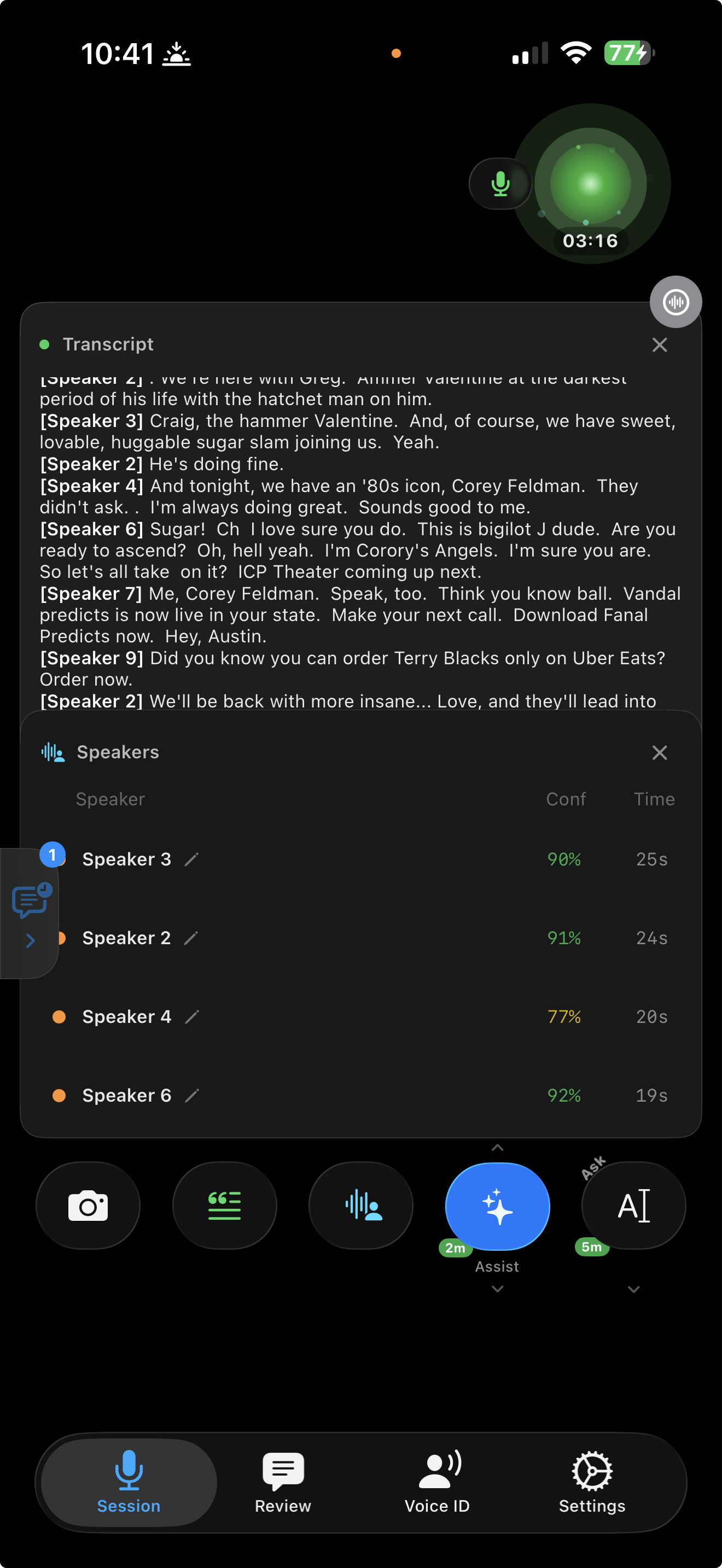
Real-time transcription
- Speech-to-text as it happens with configurable transcript windows
- Speaker identification, know who said what with neural diarization
- Up to 4 simultaneous speakers recognized in parallel
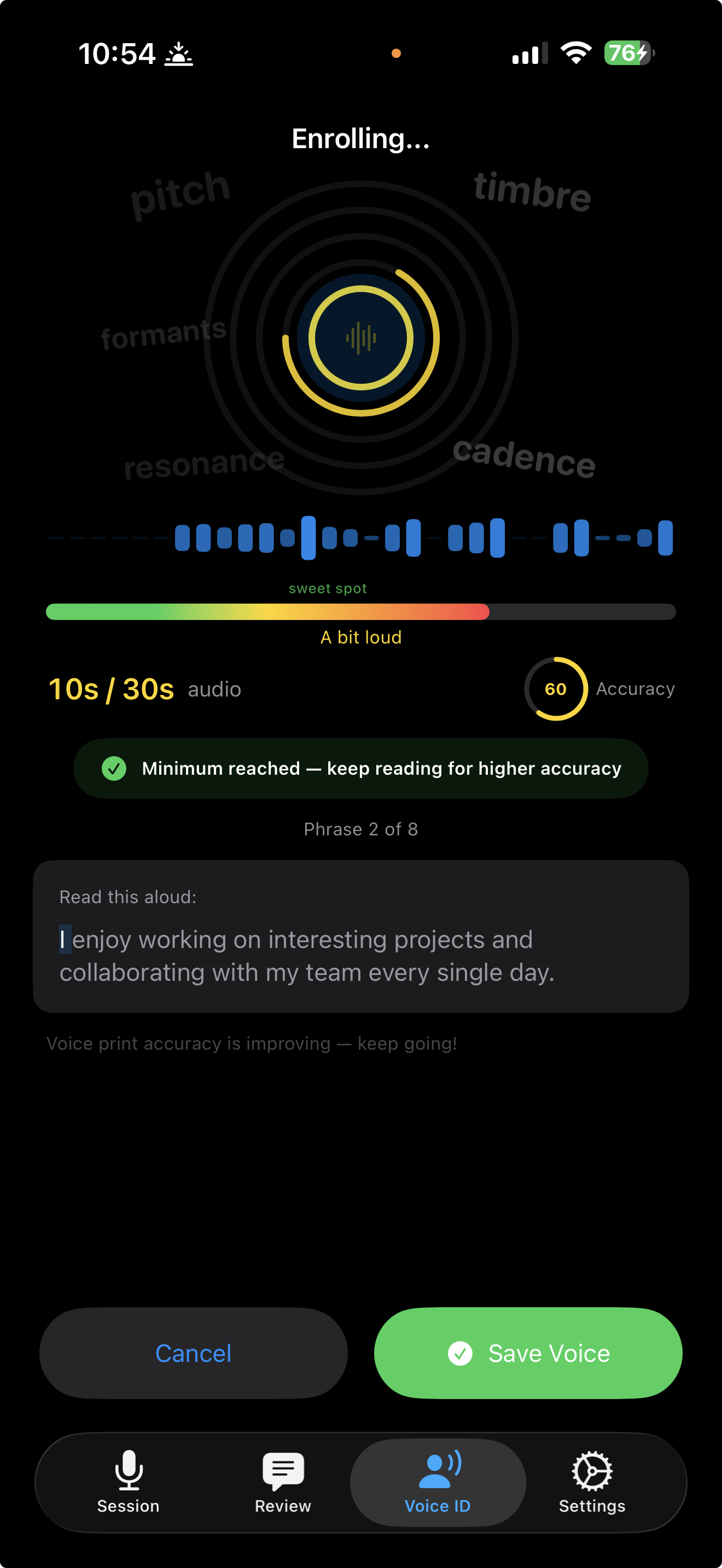
- Enroll your voice once and be automatically labeled "You" in every meeting
Captions mode
- Point the rear camera at your screen and read the meeting's own on-screen captions, no mic needed
- Works with the live captions Teams, Zoom, and Google Meet already show
- Built for online meetings where everyone comes through one speaker and similar voices are hard to tell apart
- Switch between Voice and Captions per session from the recording screen
Rolling summaries
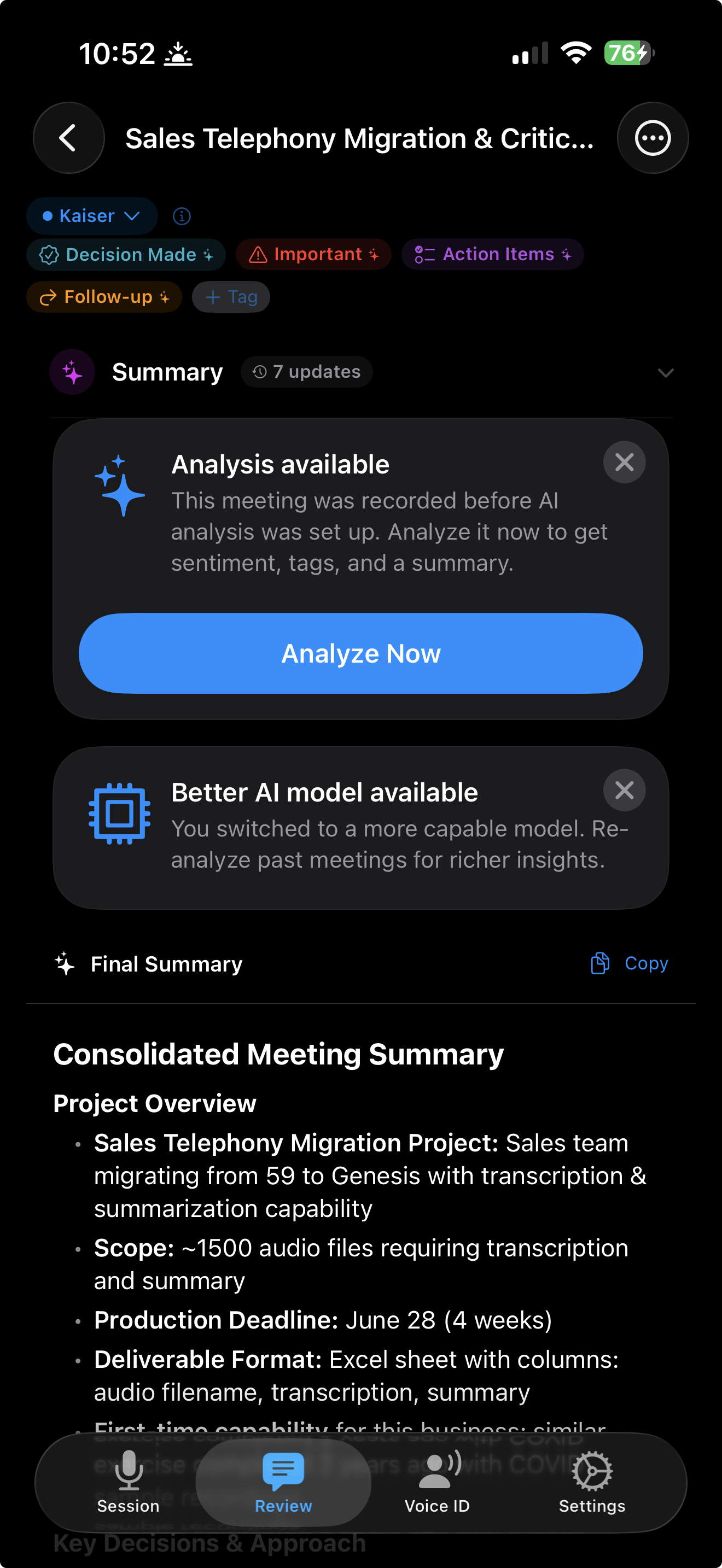
- First summary at 60 seconds, then automatically on a schedule
- Delta mode captures only what changed, fast and cost-efficient
- Full mode re-summarizes everything for complete context
- View all summary snapshots from any point in the meeting
Ask anything, any way
Multiple ways to query your meeting, from quick taps to freeform questions.
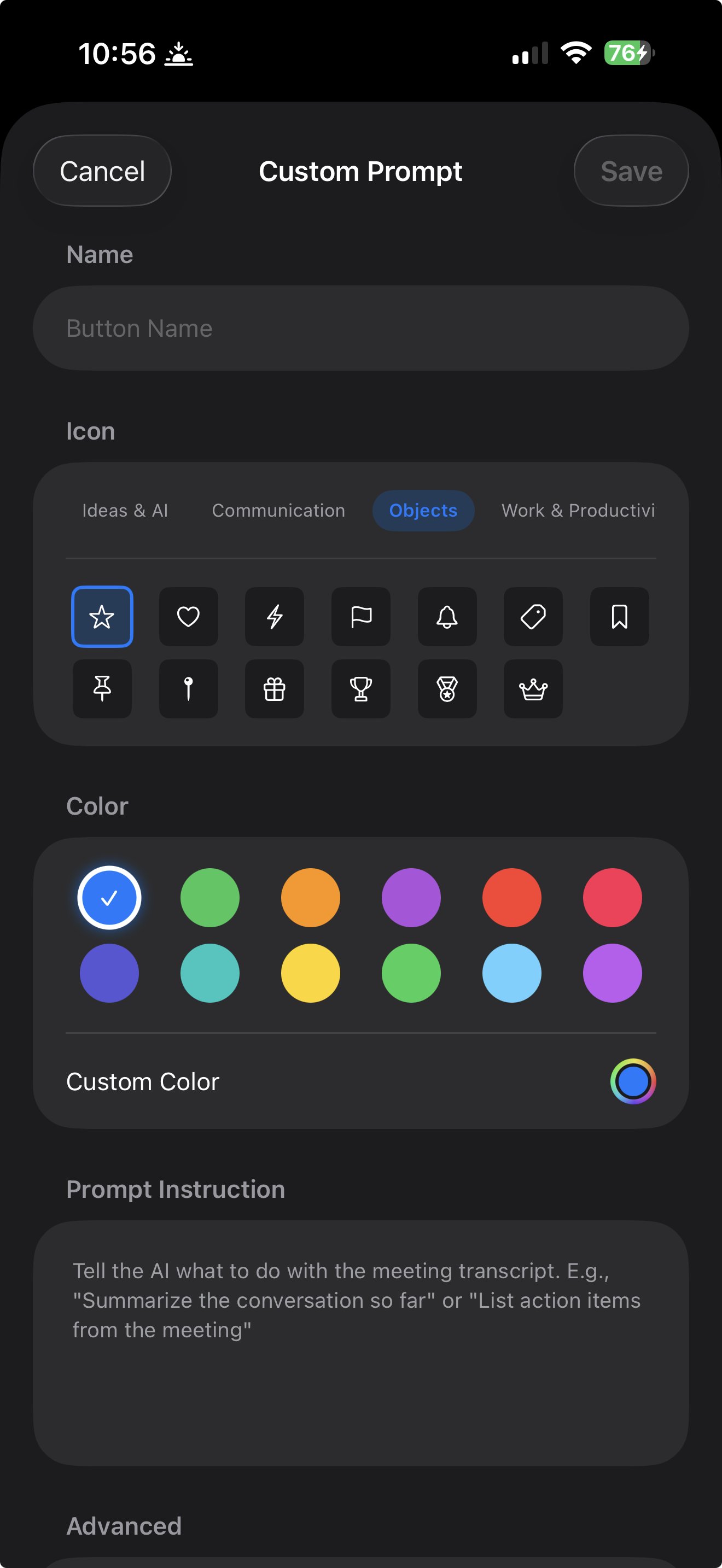
Query modes
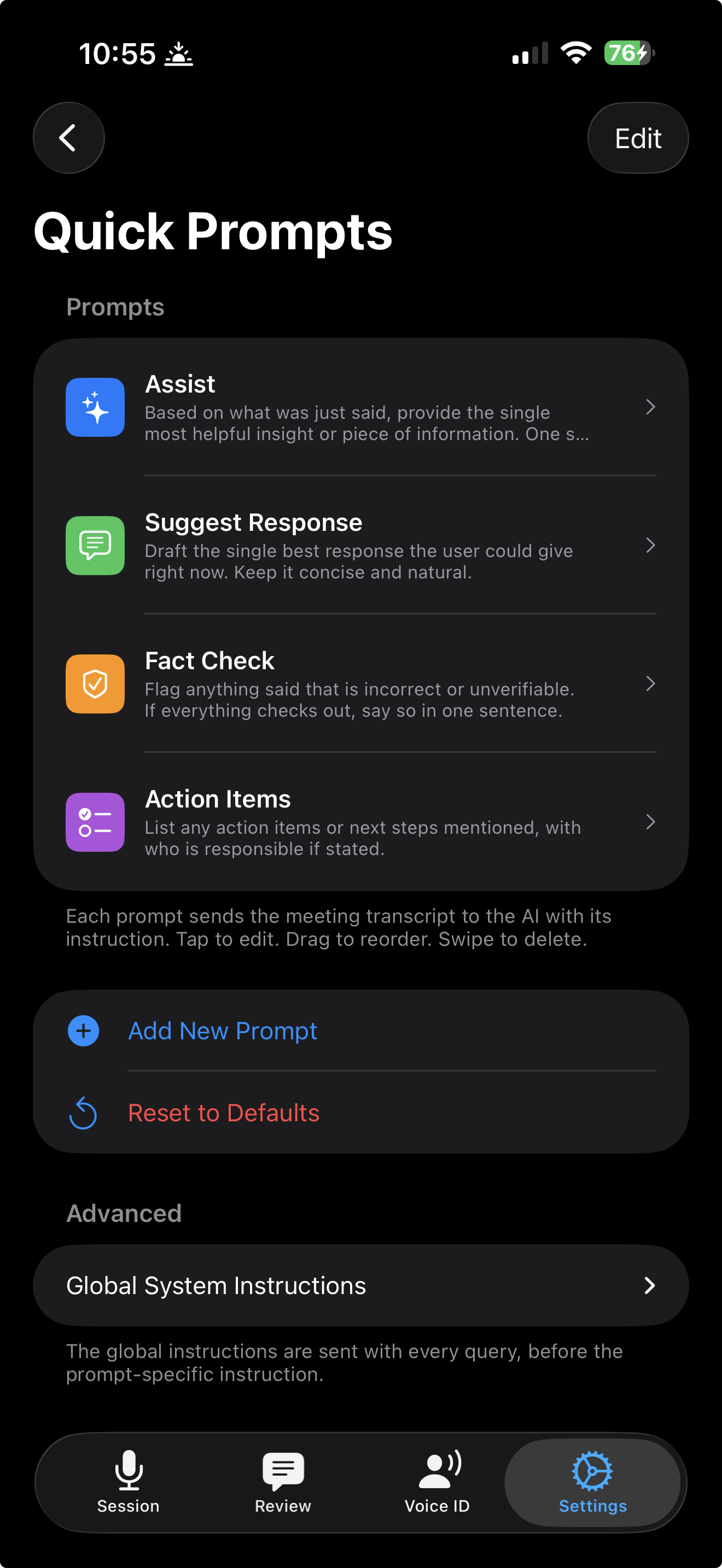
- Preset modes: Assist, Suggest Response, Fact Check, Action Items
- Freeform Ask bar for custom natural-language questions
- Create, edit, and reorder your own custom prompt modes
- Context picker: choose last 2 min, 5 min, full transcript, or since last query
Visual context
- Full-bleed rear camera preview, place your phone facing the screen or whiteboard
- Silent shutter capture for slides, whiteboards, and documents
- Attach 1 to 5 photos per query depending on your plan
- Pinch-to-zoom from 1x to 5x for detail shots
Hear it, see it, act on it
AI responses delivered however works best for you.
Audio delivery
- Responses appear on screen first, tap play to hear them through your AirPods or Bluetooth headphones
- Karaoke-style word highlighting synced to speech
- Speed control: 0.75x, 1x, 1.25x, 1.5x
- Lock screen and Control Center playback controls
Dynamic Island & Lock Screen
- See the current speaker, session duration, and recording status in your Dynamic Island
- Expand to trigger AI queries, pause/resume, mute, or control text-to-speech, without leaving whatever app you're in
- Lock your phone and a live rolling summary updates as the conversation progresses
- AI responses appear right on the Lock Screen with page-by-page navigation
- "SILENT" indicator when the room goes quiet, stop the session from the notification to save battery
Ask for a file, get a file
Ask Shoulder Surf in chat to turn the conversation into a real document. It builds the file, saves it to your library, and it's ready to send.
Spreadsheets and Gantt charts
- Ask for a project timeline and get a real Excel file, color-coded, with owners and due dates
- Task lists, trackers, and summaries as native spreadsheets, not text you have to reformat
- Opens straight in Excel or Numbers
Word documents
- Turn a meeting into a native Word document, formatted and ready to edit
- Good for recaps, briefs, and handoffs you need to pass on
- A real .docx, not a plain-text dump
Presentations and PDFs
- Ask for a deck and get a native PowerPoint file, ready to present or edit
- Or a clean PDF when you just need something to send and sign off on
- Real .pptx and .pdf files, built from what was discussed
Built, saved, ready to share
- Shoulder Surf offers to build the file, then shows honest progress while it works
- Every file saves to your library automatically
- Send it by email or AirDrop, or share the whole conversation with its files attached
- Close the app mid-build and your file is waiting when you come back
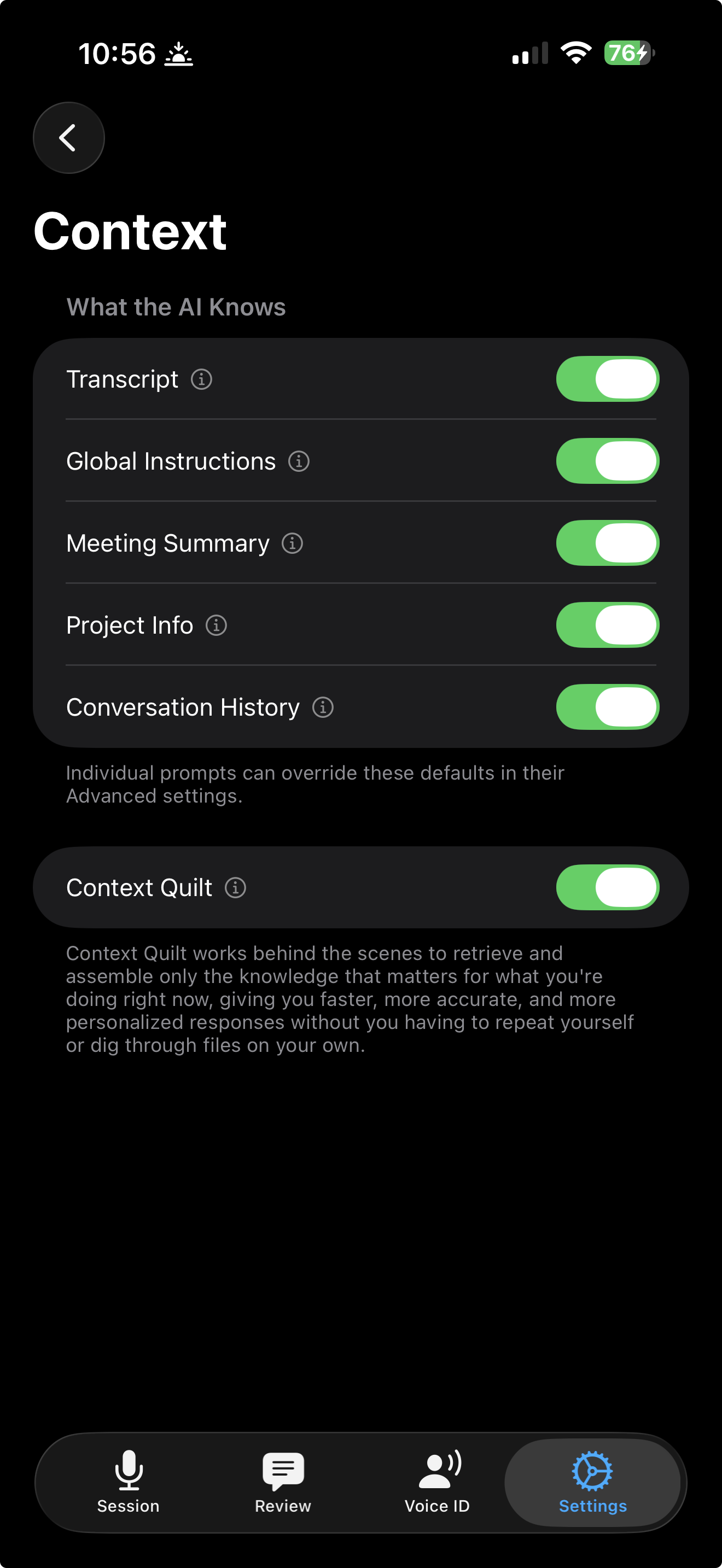
Meeting Memory
Your AI doesn't start from zero every time. Over meetings, it builds a persistent knowledge graph, connecting decisions, commitments, people, and projects across every session. Plus remembers your last 30 days; Pro remembers everything you have ever recorded.
- Recalls decisions and commitments from past meetings
- Connects the dots across projects and conversations
- Remembers who said what, across sessions
- Gets smarter and more relevant the more you use it
- Zero-latency recall, pre-computed context served in under 10ms
The people, and where it all came from
Everyone who has turned up in your meetings, and a trail back to the moment behind anything the AI tells you.
People
- Everyone who has turned up in your meetings, in one place, A to Z with search
- Each person opens with your hours together, what they tend to care about, and how things are trending
- Match someone to a contact without handing over Contacts permission, then call, message, or email them from their page
- Tap a project they appear in and land on that project
- A title you typed is never quietly replaced by one the AI inferred
- When two names turn out to be the same person, you pick which one survives
Memory you can check
- Every memory points back at the meeting it came from
- Every claim shows you what it cites, so you can tap through and read the source yourself
- Rename a speaker after the fact and the correction reaches Meeting Memory too
After the meeting
Every meeting becomes a searchable, playable, shareable record.
Export & sharing
- Pick any combination and send via AirDrop, email, or any app
- Transcript: full text with speaker labels
- Audio: compressed M4A recording
- Subtitles (SRT): timestamped captions with speaker labels, synced to your audio
- Summary: AI-generated meeting summary
- Images: photos captured during the session
Action items you can close
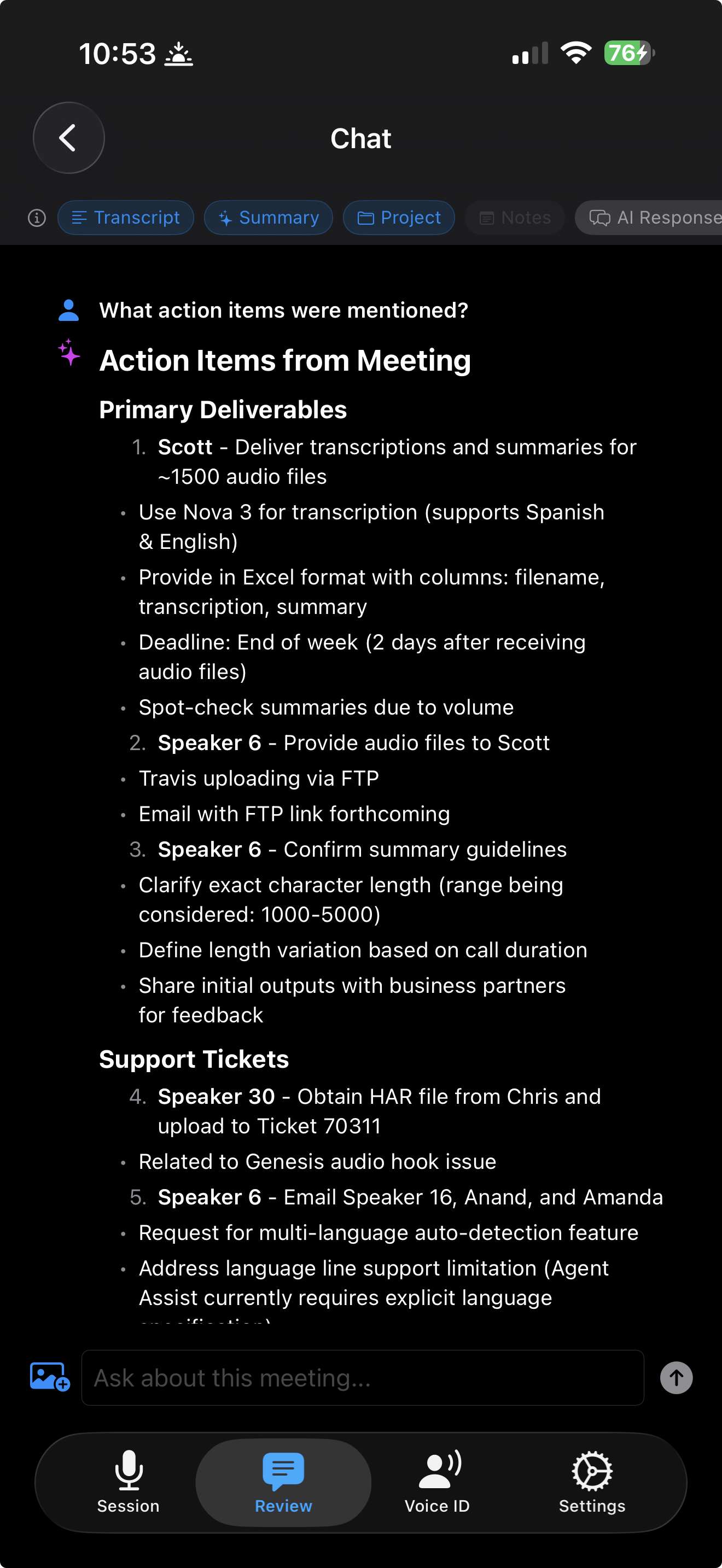
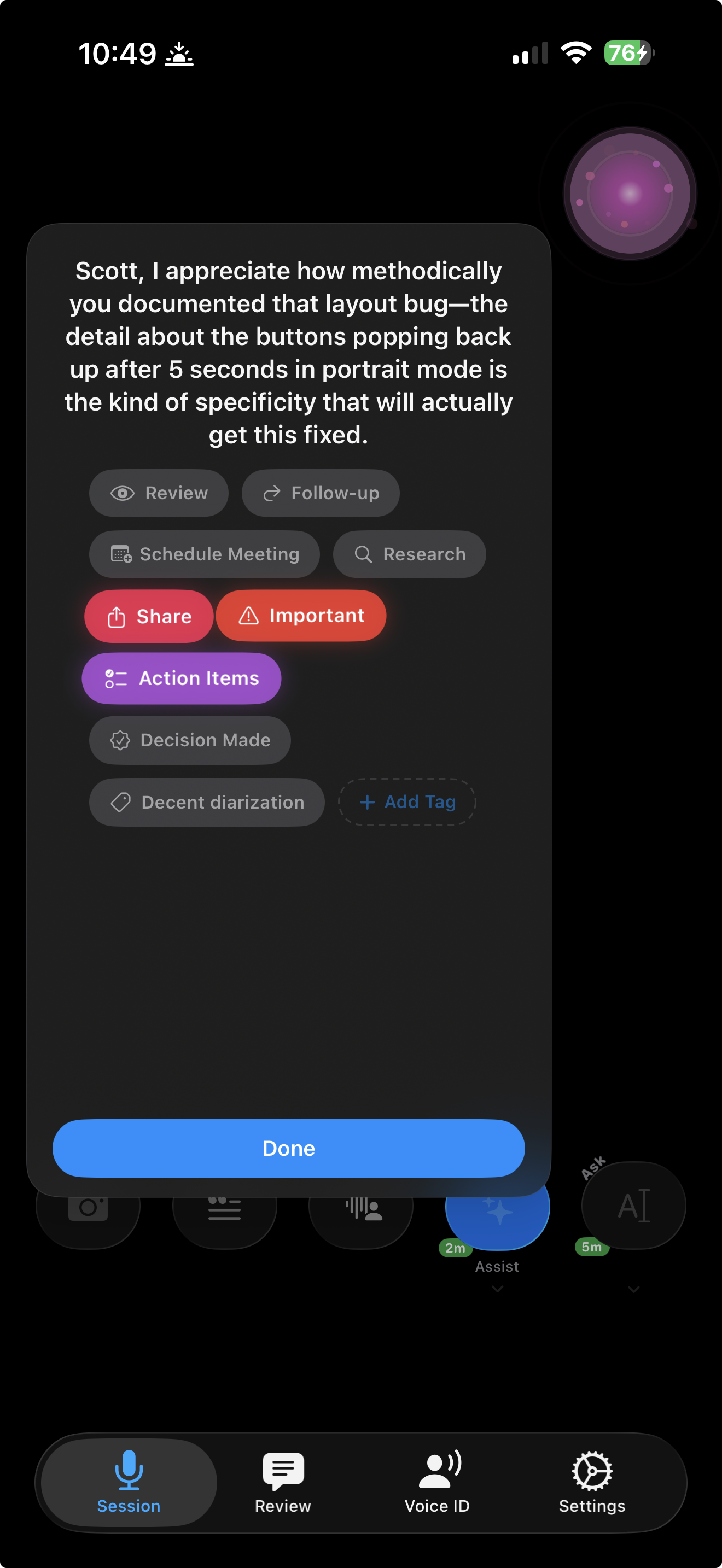
- AI extracts action items with responsible parties
- Check one off, and uncheck it if you were wrong
- Pick a deadline from a date picker and an owner from the people who were actually in the meeting
- Completed items keep their history and reopen cleanly
- Automatically saved to iOS Reminders in a dated list
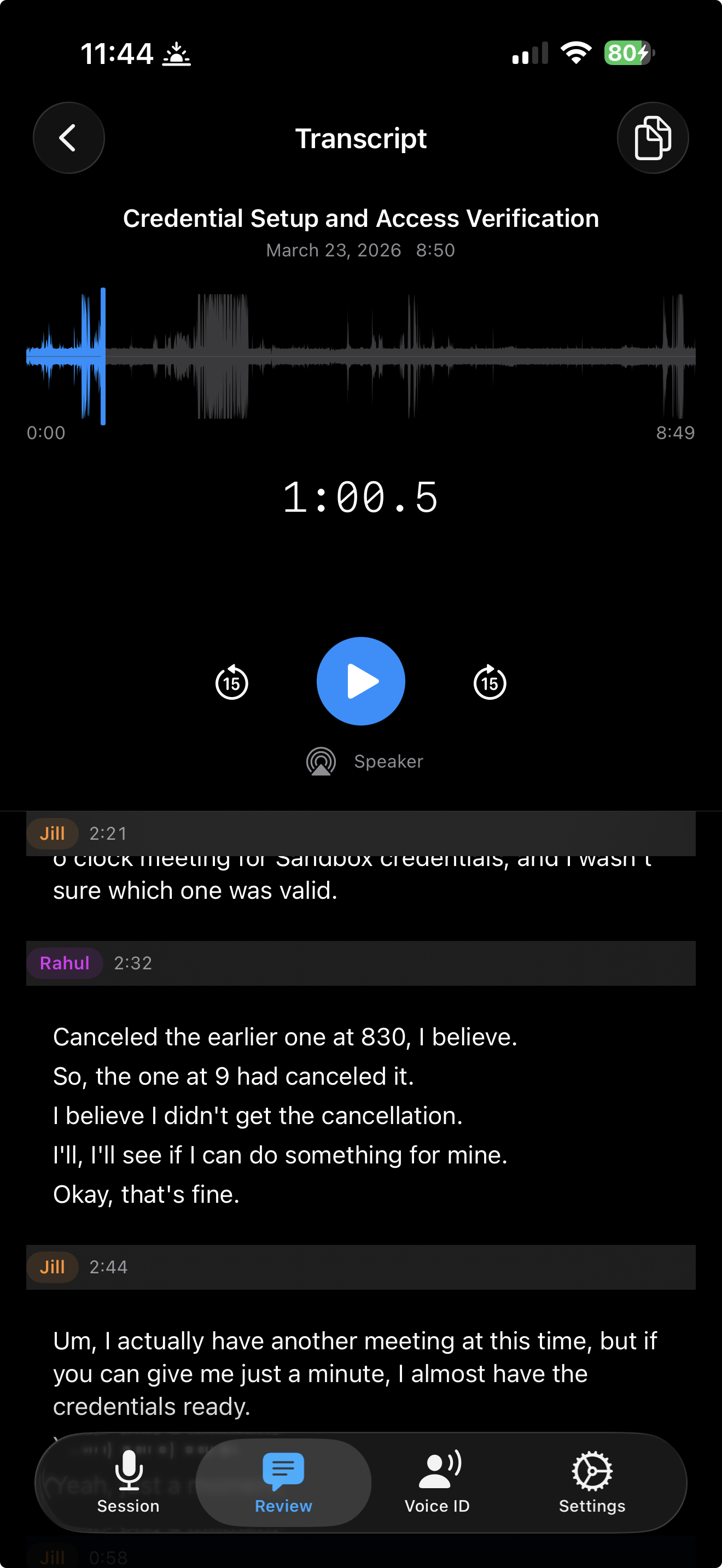
Audio recording & playback
- Every session automatically recorded in optimized M4A format
- Voice Memos-style waveform visualization with seek and scrub
- Skip forward/back 15 seconds
- Share audio files or open in third-party players
Keeping it tidy
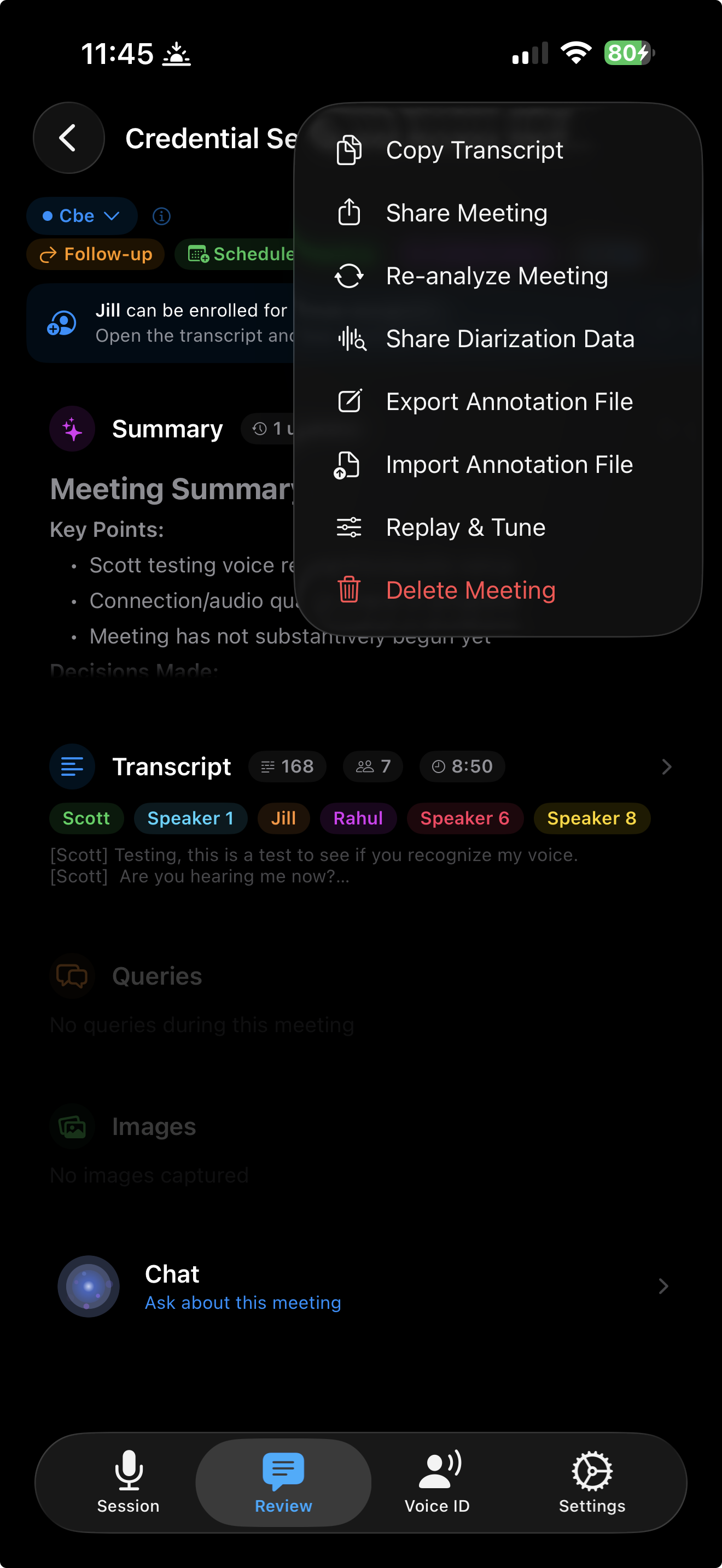
- Rename a meeting from its overflow menu
- Rename a speaker and the summary regenerates around the correction
- Export a full transcript to a file
- Pick the meeting language where you pick the project
iCloud sync
- Every meeting (transcript, AI responses, speaker labels, sentiment analysis, tags, and audio) syncs across your devices through iCloud
- Start a session on your iPhone during a meeting, then pick up your iPad later to review the full transcript
- Chat with the AI about what was discussed from any synced device
iCloud Drive backup
- Audio recordings saved to iCloud Drive in a clean folder structure organized by project and date
- Open the Files app on any device (iPhone, iPad, or Mac) and your recordings are right there
- No export steps, no manual backups,it just works
Project tagging
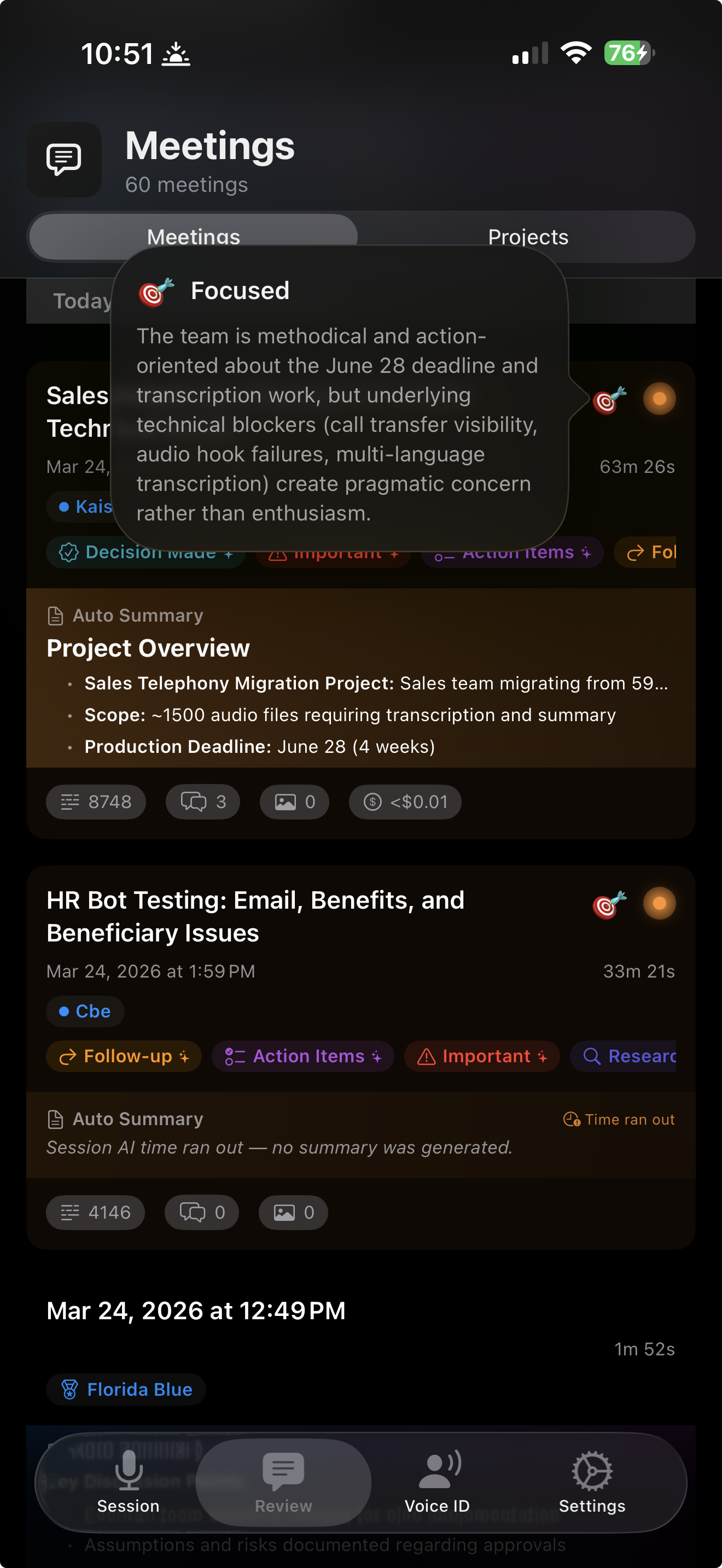
- Organize meetings by project, "Q1 Launch", "Client ABC", etc.
- Tag during or after sessions
- Filter meeting history by project
- Cross-meeting context for recurring topics
Post-session chat
- Continue asking questions after the meeting ends
- Threaded conversations with full transcript context
- Attach new photos for follow-up analysis
- Copy and share individual responses
Send it where the work happens
A meeting is only useful if the people who missed it can read it. Send a document, a link, or a card in a thread.
Reports that go somewhere
- Generate a report for any meeting, not just your most recent one
- Reports arrive as a readable document in Slack, Notion, Mail, and anywhere else the share sheet reaches
- A PDF fallback, so nothing turns up as raw markup
- Collapsed sections expand before it sends, so what people get is the whole report
Share a link
- Send a link to a meeting with the same include toggles as a file export: queries and chat, the report, photos, audio
- It tells you what it sends and who hosts it before you send it
- Anyone with the link can open it, with no sign-in
- Links expire after 30 days, and you can revoke one at any time
- Revoking stops the page, but it cannot pull back a message already delivered, or a link preview cached outside Shoulder Surf
Straight from Messages
- Shoulder Surf turns up in the Messages app drawer
- Pick a meeting already on your device and one tap puts a card in the conversation
- The drawer lists only meetings you have already recorded, so it stays empty until there is one
- It creates nothing and reads nothing new
Bring Your Own Key
Use your own API keys for full control over models, costs, and data.
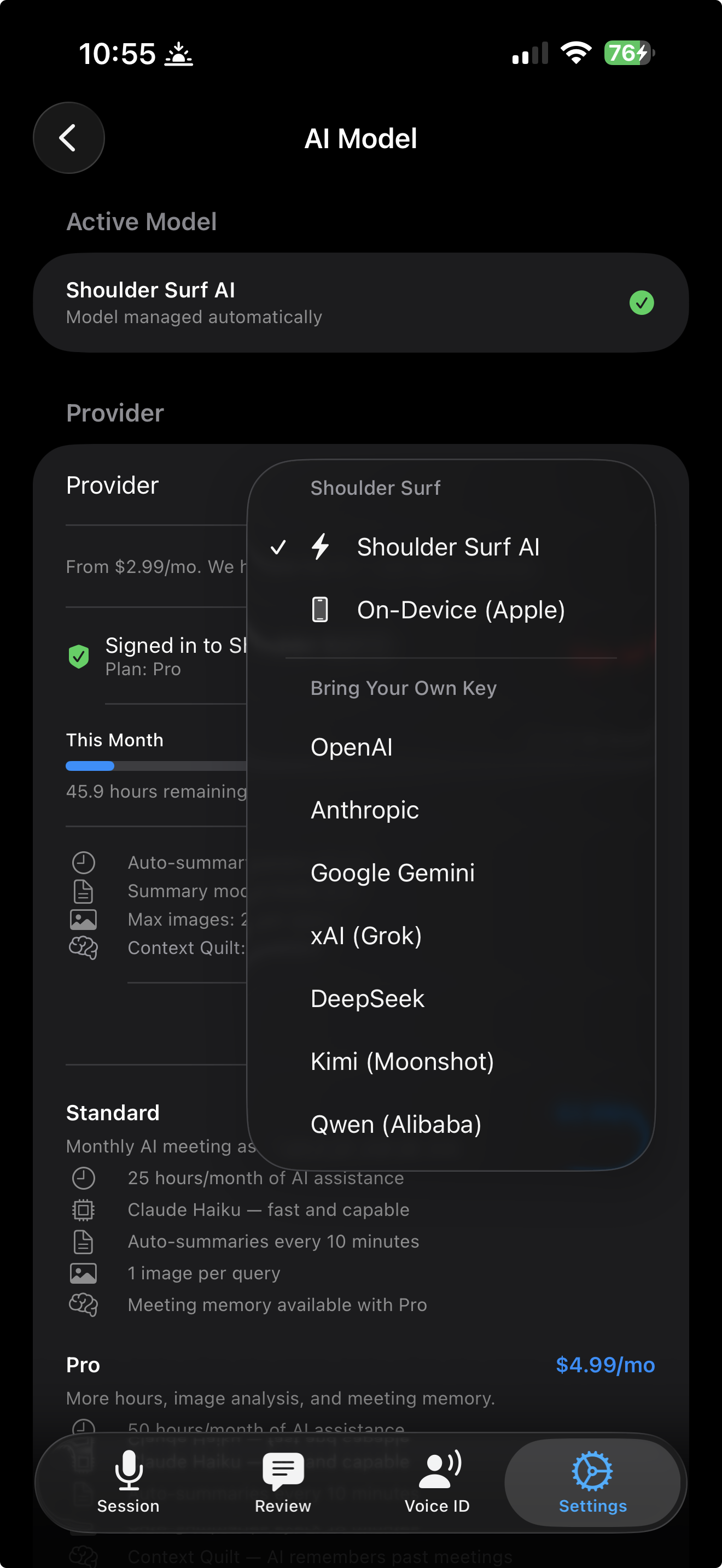
Multi-provider support
- Anthropic (Claude Fable 5, Opus 5, Sonnet 5, Haiku 4.5)
- OpenAI (GPT-5.6 Sol, GPT-5.5, GPT-5.4 Mini, GPT-5.4 Nano)
- Google (Gemini 3.1 Pro, 3.6 Flash, 3.5 Flash, Flash Lite)
- xAI (Grok 4.3)
- DeepSeek (V4 Pro, V4 Flash)
- Moonshot (Kimi K2.6, K2.5)
- Alibaba (Qwen3.7 Max, 3.7 Plus, Flash)
- OpenRouter (Llama 4, Perplexity, Mistral, Grok 4.3, and 13 more)
- Apple Intelligence (on-device, free, iPhone 15 Pro+)
- Managed AI (auto-selected by your subscription tier)
- Switch models per session or globally
Cost transparency
- Live token counting for every query
- Per-query cost estimates using real pricing
- Session cost summary
- Image resolution control to optimize tokens
Full privacy
- Keys stored in iOS Keychain, never in plain text
- API calls go directly from your device to the provider
- Keys never sent to Shoulder Surf servers
- No account required
Built for everyone
Shoulder Surf is designed so that everyone can get the most out of every meeting, regardless of how they engage.
Visual & auditory
- Full Dynamic Type support, text scales with your system settings
- VoiceOver with 150+ custom labels and state-aware descriptions
- 6-bar audio level meter for visual confirmation of mic input
- Color + shape redundancy, information never conveyed by color alone
Motor & cognitive
- 44pt+ touch targets exceeding Apple minimums
- Reduce Motion support disables springs and fling physics
- Non-intrusive auto-dismissing notifications
- Progressive disclosure, advanced features hidden until needed
Ready to try it?
Start free, upgrade when you need more.